
Views: 222 Author: Wendy Publish Time: 2025-04-04 Origin: Site


Content Menu
● Benefits of LCD Screen Protectors
● Types of LCD Screen Protectors
● Do You Need an LCD Screen Protector for Your Canon EOS 80D?
● Additional Considerations for Screen Protector Installation
● Maintenance and Care of LCD Screen Protectors
● Photography Scenarios Where Screen Protectors Are Crucial
>> Event and Wedding Photography
>> Wildlife and Nature Photography
● FAQ
>> 1. Do Canon EOS 80D Cameras Come with a Built-in Screen Protector?
>> 2. What Are the Benefits of Using an Additional LCD Screen Protector?
>> 3. How Do I Choose the Right LCD Screen Protector for My Canon EOS 80D?
>> 4. Can I Use Any Type of Screen Protector on My Canon EOS 80D?
>> 5. How Do I Apply an LCD Screen Protector to My Canon EOS 80D?
When it comes to protecting the LCD screen of your Canon EOS 80D, one of the most common questions is whether you need an additional LCD screen protector. The Canon EOS 80D is a versatile and robust camera, known for its weather-sealed body and durable construction. However, like any electronic device, its LCD screen can be vulnerable to scratches and impacts. In this article, we will explore the necessity of using an LCD screen protector for the Canon EOS 80D, discussing the benefits and types of protectors available.
The Canon EOS 80D features a bonded glass LCD protector, which provides a level of protection against scratches and minor impacts. However, this built-in protection may not be sufficient for all users, especially those who frequently use their cameras in harsh environments or handle them roughly. For such users, an additional screen protector can offer peace of mind and extend the life of the camera's LCD screen.
The importance of protecting the LCD screen cannot be overstated. A damaged screen not only affects the camera's functionality but also its aesthetic appeal. Moreover, repairing or replacing a damaged LCD screen can be costly, making preventive measures like using a screen protector a wise investment.
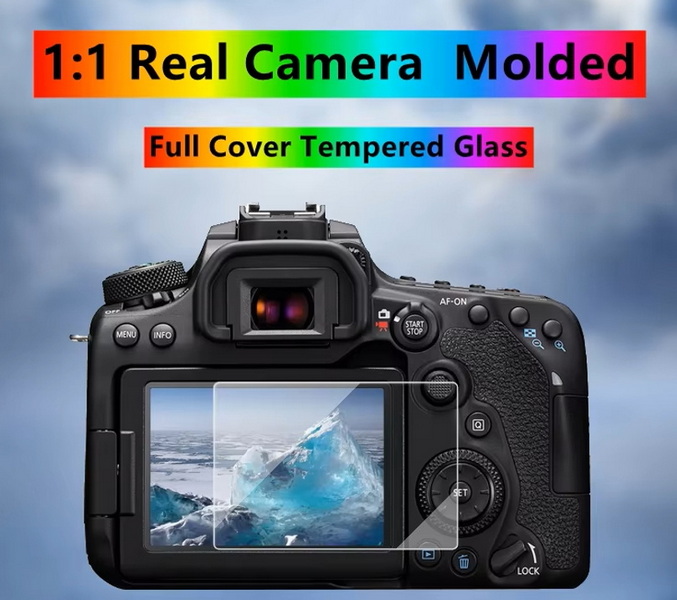
LCD screen protectors offer several benefits that make them a worthwhile investment for many camera owners. They provide a sacrificial layer that absorbs scratches and minor impacts, protecting the actual LCD screen from damage. This is particularly important for maintaining the resale value of your camera, as a pristine screen can significantly enhance its appeal to potential buyers. Additionally, screen protectors often feature oleophobic coatings that reduce fingerprints and smudges, making the screen easier to clean and view.
Moreover, some screen protectors are designed with anti-glare properties, which can improve visibility in bright environments. This is especially useful for photographers who often shoot outdoors. The clarity and light transmission of modern screen protectors ensure that they do not affect the display quality of the LCD screen, providing a seamless viewing experience.
Another benefit of using an LCD screen protector is its ease of replacement. If the protector gets damaged, it can be easily removed and replaced without affecting the camera's screen. This is a much simpler and less expensive process compared to repairing or replacing the actual LCD screen.
There are several types of LCD screen protectors available for cameras like the Canon EOS 80D. The most common types include:
- Tempered Glass Protectors: These are made from tempered glass and offer excellent scratch and impact resistance. They are typically thin and do not interfere with the screen's clarity or responsiveness. Tempered glass protectors are popular due to their durability and ease of installation.
- Optical Glass Protectors: Similar to tempered glass, these protectors are designed for optical clarity and are often used in high-end applications. They provide excellent light transmission and are resistant to scratches and shattering.
- Flexible Film Protectors: These are less common for cameras but can be used for added protection against scratches. However, they may not offer the same level of impact resistance as glass protectors.
Each type of protector has its own advantages and disadvantages. Tempered glass protectors are highly durable but may be more expensive than film protectors. Optical glass protectors offer superior optical clarity but can be more costly. Flexible film protectors are budget-friendly but may not provide the same level of protection as glass protectors.
While the Canon EOS 80D comes with a built-in bonded glass protector, adding an extra layer of protection can be beneficial for several reasons. Firstly, it provides additional security against scratches and impacts, which can be particularly useful if you frequently use your camera in environments where it might be exposed to rough handling or harsh conditions. Secondly, an LCD screen protector can help maintain the camera's resale value by keeping the screen in pristine condition.
However, if you handle your camera with care and are not frequently exposing it to potential hazards, the built-in protection might suffice. Ultimately, the decision to use an additional screen protector depends on your usage habits and personal preference.
For professional photographers or those who use their cameras extensively, an additional screen protector is highly recommended. It provides peace of mind and ensures that the camera remains in optimal condition, even under demanding usage.
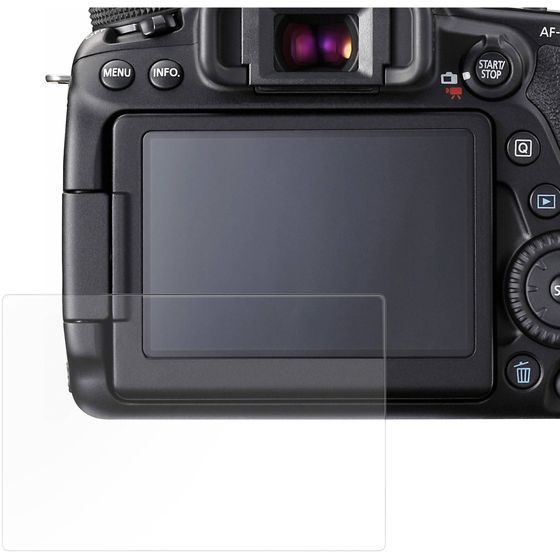
When installing an LCD screen protector, it's crucial to follow the manufacturer's instructions carefully. This includes ensuring the screen is completely clean and dry before application. Any dust particles or moisture can lead to air bubbles or uneven adhesion, which may compromise the protector's effectiveness.
Moreover, consider the environment in which you apply the protector. A dust-free environment is ideal to prevent particles from settling on the screen during installation. If you notice any air bubbles after applying the protector, use a credit card or similar tool to gently press them towards the edge of the screen.
Once you have installed an LCD screen protector, maintaining it is relatively straightforward. Regularly clean the protector with a soft cloth and a mild cleaning solution to remove fingerprints and smudges. Avoid using harsh chemicals or abrasive materials, as they can damage the protector or the camera's screen.
Additionally, inspect your screen protector periodically for signs of wear or damage. If you notice any scratches or cracks, consider replacing the protector to ensure continued protection for your camera's LCD screen.
In many photography scenarios, having a reliable screen protector can be crucial. For instance, during outdoor shoots, cameras are often exposed to harsh weather conditions, dust, and potential impacts. An LCD screen protector can safeguard against these risks, ensuring that your camera remains functional throughout the shoot.
Outdoor photography often involves shooting in diverse environments, from rugged landscapes to urban settings. In these situations, cameras can be exposed to dust, sand, or other particles that might scratch the LCD screen. An additional screen protector provides an extra layer of protection against such hazards, ensuring that your camera's screen remains clear and functional.
Event and wedding photographers frequently work in crowded environments where accidental bumps or scratches are more likely. An LCD screen protector can protect the camera's screen from these potential impacts, ensuring that the photographer can continue shooting without interruption.
Wildlife and nature photographers often venture into remote areas where equipment may be exposed to harsh conditions. An LCD screen protector can help safeguard against scratches or impacts that might occur during these expeditions, ensuring that the camera remains operational even in challenging environments.
By understanding these scenarios, photographers can better appreciate the value of using an LCD screen protector to safeguard their equipment and ensure uninterrupted shooting experiences.
In conclusion, while the Canon EOS 80D comes with a built-in bonded glass protector, adding an additional LCD screen protector can provide enhanced protection and peace of mind, especially for users who frequently expose their cameras to harsh conditions. The benefits of using an LCD screen protector include improved scratch and impact resistance, easier cleaning, and maintaining the camera's resale value. By choosing the right type of protector and following proper installation techniques, you can ensure your camera's LCD screen remains in excellent condition.
Furthermore, the decision to use an LCD screen protector should be based on your specific needs and usage patterns. For those who handle their cameras with care, the built-in protection might be sufficient. However, for photographers who frequently use their cameras in demanding environments, an additional screen protector is a wise investment.
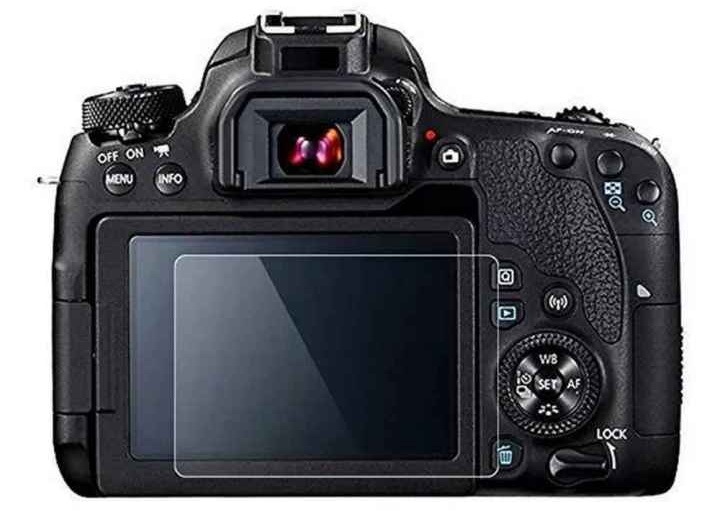
The Canon EOS 80D features a bonded glass LCD protector, which provides a level of protection against scratches and minor impacts. However, this built-in protection may not be sufficient for all users, especially those who frequently use their cameras in harsh environments.
An additional screen protector offers enhanced protection against scratches and impacts, maintains the camera's resale value by keeping the screen pristine, and often features oleophobic coatings for easier cleaning.
When choosing a screen protector, consider factors such as material (tempered glass or optical glass for durability), thickness (to ensure it does not interfere with screen clarity), and features like oleophobic coatings and anti-glare properties. Ensure the protector is specifically designed for your camera model to guarantee a precise fit.
Not all screen protectors are suitable for the Canon EOS 80D. Look for protectors specifically designed for your camera model to ensure a precise fit and optimal protection. Tempered glass or optical glass protectors are recommended for their durability and clarity.
To apply an LCD screen protector, start by thoroughly cleaning the screen to remove any dust or grease. Use a clean environment to minimize dust particles settling on the screen during application. Align the protector carefully and apply it slowly to avoid air bubbles. If you notice any air bubbles, gently press them towards the edge of the screen until they disappear.
[1] https://community.usa.canon.com/t5/EOS-DSLR-Mirrorless-Cameras/Protective-Screen/m-p/245164
[2] https://www.bhphotovideo.com/c/product/1451903-REG/megagear_mg159_lcd_optical_screen_protector.html
[3] https://photographylife.com/reviews/canon-80d/2
[4] https://www.reshine-display.com/what-is-lcd-screen-protector.html
[5] https://gadgetbag.co.uk/blogs/news/what-lcd-protectors-are-available-for-my-camera
[6] https://www.outdoorphoto.co.za/blog/protect-camera-lcd-with-easycover-screen-protectors/
[7] https://www.cameratips.com/recommendations/ggs-lcd-screen-protector
[8] https://www.belkin.com/support-article/?articleNum=275520
[9] https://www.megagear.com/products/camera-lcd-optical-screen-protector-for-canon-eos-80d-70d
[10] https://shuttermuse.com/how-to-apply-camera-screen-protector/
[11] https://www.bhphotovideo.com/c/product/1275892-REG/kenko_lcd_c_80d_70d_lcd_protection_film_for.html
[12] https://fotospeed.com/lcd-screen-protective-film-anti-reflective-for-canon-eos80-d.html
[13] https://www.reddit.com/r/Cameras/comments/1cuz7h5/do_you_use_screen_protectors/
[14] https://www.reddit.com/r/canon/comments/1hkjpg1/do_you_use_protection_screen_on_back_lcds_if_so/
[15] https://gdlp01.c-wss.com/gds/0/0300022720/01/EOS_80D_Instruction_Manual_EN.pdf
[16] https://harrisoncameras.co.uk/products/mas-lcd-protector-for-canon-eos-80d-902618
[17] https://www.aliexpress.com/i/1005002086488520.html
[18] https://id.canon/en/support/8202785200
[19] https://shop.expertshield.com/Canon_80D_Crystal_Clear
[20] https://www.adorama.com/esc90dgs.html
[21] https://en.canon-cna.com/pro/infobank/lcd-or-viewfinder/
[22] https://www.eostrainingacademy.co.uk/about.html
[23] https://asia.canon/en/support/8202784200
[24] https://community.usa.canon.com/t5/EOS/Please-Help-Me-Fix-My-Canon-80D/m-p/286343
[25] https://www.reddit.com/r/canon/comments/1e0fmug/80d_screen/
[26] https://www.youtube.com/watch?v=2N_A4Zl0pYw
[27] https://www.usa.canon.com/support/canon-product-advisories/the-vulnerability-in-canon-digital-cameras
[28] https://www.canonrumors.com/review-canon-eos-80d/
[29] https://www.theverge.com/2019/8/11/20800979/check-point-canon-eos-80d-dslr-malware-ransomware-cybersecurity
[30] https://petapixel.com/2016/04/09/review-canon-80d-solid-dslr-stuck-no-mans-land/
[31] https://www.checkpoint.com/press-releases/check-point-research-reveals-modern-cameras-connectivity-to-wi-fi-make-them-vulnerable-to-ransomware-and-malware/
[32] https://www.kenrockwell.com/canon/80d.htm
[33] https://www.redsharknews.com/production/item/6572-cameras-are-vulnerable-to-hacking-too
[34] https://www.dpreview.com/forums/thread/4231061
[35] https://www.grantatkinson.com/blog/expert-shield-screen-protector-field-review
[36] https://www.smartguds.com/blogs/news/benefits-of-using-screen-protectors-on-smartphones
[37] https://www.jjc.cc/index/goods/detail.html?id=1035
[38] https://www.dpreview.com/forums/thread/4426862
[39] https://screenshield.com.au/blogs/blog/benefits-of-using-nano-glass-screen-protector-for-smartphone
[40] https://www.sony.co.nz/electronics/interchangeable-lens-cameras-other-accessories/pck-ls1em
[41] https://www.airtel.in/blog/postpaid/why-buy-screen-protectors-for-your-phone/
[42] https://www.dpreview.com/forums/thread/4723547
[43] https://www.l-camera-forum.com/topic/387420-lcd-screen-protector-needed-or-not/
[44] https://nushield.com/benefits-of-screen-protection/
[45] https://cameratek.co.za/collections/lcd-protectors
[46] https://www.reddit.com/r/Cameras/comments/18v5klj/is_it_really_worth_getting_a_screen_protector_for/
[47] https://photo.stackexchange.com/questions/10726/are-screen-protectors-necessary-on-cameras-with-flippable-screens-like-the-ca
[48] https://downloads.keepsnap.com/blog/post/lcd-protectors-review
[49] https://www.tj-chinafreight.com/lcd-screen-the-ultimate-faq-guide/
[50] https://www.photodon.com/faqs-screen-protectors.html
[51] https://www.xwlcdfactory.com/news/glass-screen-protector-a-comprehensive-guide/
[52] https://community.usa.canon.com/t5/EOS/LCD-screen-protector/td-p/320774
[53] https://www.screenguardfactory.com/pages/faqs/
[54] https://www.talkphotography.co.uk/threads/camera-screen-protector-yes-or-no.671197/
[55] https://www.3m.com/3M/en_US/privacy-screen-protectors-us/resources/measure/
[56] https://static.csbsju.edu/documents/media%20services/equipment%20manuals/canon%20eos80d.pdf
[57] https://www.digitalcamerawarehouse.com.au/atf-glass-screen-protector-for-canon-80da90da6d-ii
[58] https://www.youtube.com/watch?v=QMa8zpoLu2o
[59] https://petapixel.com/2019/08/12/psa-canon-dslrs-are-vulnerable-to-ransomware-update-yours-now/
[60] https://www.reshine-display.com/is-a-broken-lcd-screen-dangerous.html
[61] https://www.bleepingcomputer.com/news/security/canon-dslr-camera-infected-with-ransomware-over-the-air/
[62] https://www.canonforums.com/threads/80d-lcd-screen-problem.5045/
[63] https://threatpost.com/hack-of-a-canon-eos-80d-dslr/147214/
[64] https://www.aliexpress.com/w/wholesale-canon-80d-lcd-screen.html
[65] https://www.diyphotography.net/over-30-canon-dslr-mirrorless-and-compact-camera-models-found-vulnerable-to-ransomware/
[66] https://www.discovery.co.za/corporate/good-driving-benefits-of-using-a-screen-protector
[67] https://www.bhphotovideo.com/c/buy/Screen-Protectors/ci/12027/N/3777857694
[68] https://www.kimeery.com/the-pros-and-cons-of-mobile-phone-lcd-screen-protectors.html
[69] https://www.parkcameras.com/accessories/screen-protectors/
[70] https://phrozen3d.com/products/lcd-screen-protector
[71] https://www.belkin.com/hk/en/products/product-resources/screen-protector-buying-guide/



