
Views: 222 Author: Wendy Publish Time: 2025-05-22 Origin: Site


Content Menu
● Understanding Water Damage in iPad LCD Screens
● Immediate Steps: What To Do Right After Water Exposure
>> 1. Power Off the iPad Immediately
>> 2. Remove Accessories and SIM Card
>> 5. Use Silica Gel, Not Rice
● How Do You Fix A Water Damaged iPad LCD Screen: DIY Approaches
● Professional Repair Options for Water Damaged iPad LCD Screens
>> Diagnostic and Repair Services
>> Backlight Replacement: A Cost-Effective Alternative
>> Cleaning and Component-Level Repairs
● How Do You Fix A Water Damaged iPad LCD Screen: Step-by-Step Professional Process
● Risks and Limitations of Water Damage Repair
● When to Seek Professional Help
● Preventing Future Water Damage
● Frequently Asked Questions (FAQ)
>> 1. How long should I wait before turning my iPad back on after water exposure?
>> 2. Can I use rice to dry my water damaged iPad LCD screen?
>> 3. Is it possible to fix a water damaged iPad LCD screen without replacing the entire screen?
>> 4. Will Apple repair a water damaged iPad LCD screen under warranty?
>> 5. What are the signs that my iPad LCD screen is water damaged?
Water damage is one of the most common and distressing issues for iPad owners. The LCD screen, being the centerpiece of your device's user experience, is especially vulnerable to liquid exposure. If you're searching for answers to "how do you fix a water damaged iPad LCD screen," you're not alone. This comprehensive guide will walk you through the essential steps, expert recommendations, and professional repair options to restore your iPad's display and functionality.
When water comes into contact with your iPad, it can seep through the smallest openings and reach the internal components, including the LCD screen. The result can range from minor display anomalies to complete screen failure. Typical signs of water damage include:
- Flickering or unresponsive screen
- Discoloration, streaks, or watermarks under the glass
- Ghost touches or erratic behavior
- Complete blackout of the display
Water damage can also cause corrosion over time, leading to progressive deterioration of the LCD and other internal parts. This is why addressing the issue promptly is critical when considering how do you fix a water damaged iPad LCD screen.
As soon as you suspect your iPad has been exposed to water, turn it off. Keeping the device powered on can cause short circuits and further damage the delicate electronics inside.
Take off any protective cases, unplug accessories, and if your iPad has a SIM card, remove it. These steps help prevent water from being trapped and allow for better airflow during drying.
Use a soft, lint-free cloth to pat down the exterior of your iPad. Avoid rubbing, as this can push water deeper into the device.
Do not use a hair dryer or apply heat directly to the device. High temperatures can warp internal components and worsen the damage. Also, avoid pressing any buttons, which could push water further into the circuits.
Place your iPad in a sealed bag with silica gel packets for at least 24 to 48 hours. Silica gel is highly effective at absorbing moisture without introducing dust or debris.
After the initial drying period, carefully inspect your iPad. If the screen still displays watermarks, discoloration, or is unresponsive, further action is required.
If the water exposure was minimal and the LCD is only slightly affected, you may be able to restore some functionality by:
- Allowing more time for drying
- Gently cleaning the screen's exterior
- Testing all functions after a 48-hour drying period
However, if you notice persistent issues, professional intervention is recommended.

Most reputable repair shops begin with a thorough diagnostic to assess the extent of the water damage. They will determine if the issue is limited to the LCD or if other internal components are affected.
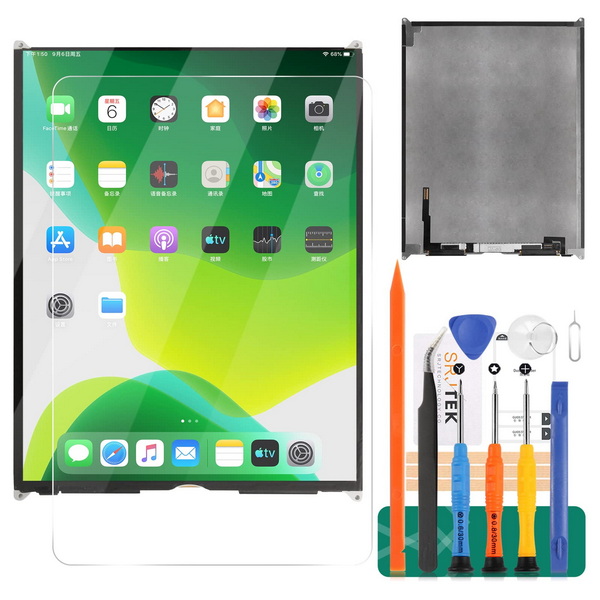
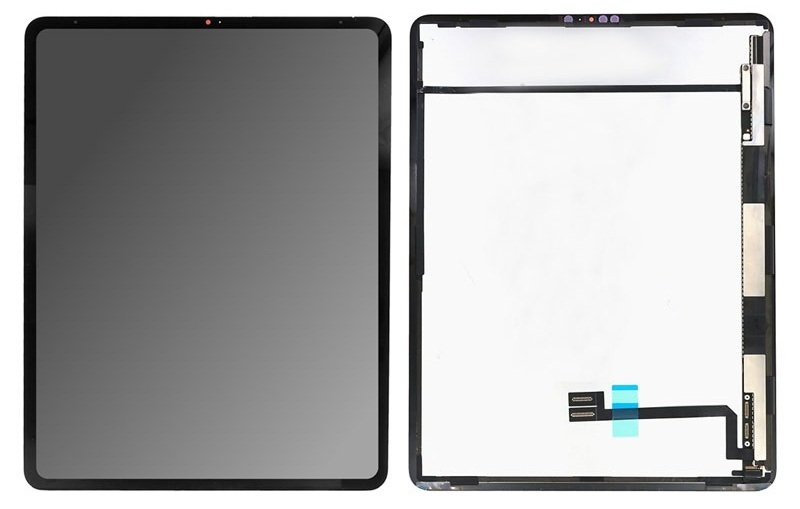
In many cases, the most effective solution for how do you fix a water damaged iPad LCD screen is a complete screen replacement. This involves removing the damaged LCD assembly and installing a new one. Professional technicians have the tools and expertise to do this safely and efficiently.
If the display and touch functions are normal, but you notice watermarks or stains under the screen, sometimes only the backlight needs to be replaced. This is a more affordable solution compared to replacing the entire LCD assembly. However, due to the complexity of the iPad's laminated screen structure, this procedure should only be performed by skilled professionals.
Some advanced repair shops offer cleaning and micro-soldering services to address corrosion and restore damaged circuits. This approach can sometimes save the LCD if the water damage is not too severe.
The iPad is carefully opened, and the LCD assembly is removed. Special care is taken to avoid further damage to the screen or internal components.
Technicians inspect the LCD and other internal parts for signs of corrosion or mineral deposits. They use specialized cleaning solutions and tools to remove any residue.
Each component is tested individually to determine if it is still functional. If only the backlight is damaged, it can be replaced without changing the entire LCD.
After the necessary repairs or replacements, the iPad is reassembled and thoroughly tested to ensure all functions, including the touchscreen and display, are working correctly.
While many water-damaged iPads can be restored, there are important limitations to consider:
- Corrosion can continue to develop over time, even after initial repairs.
- Some features, such as Face ID or Touch ID, may not recover after water exposure.
- Data loss is possible if the logic board is compromised.
- DIY repairs carry the risk of further damage if not performed correctly.
The cost of repairing a water damaged iPad LCD screen varies based on several factors:
- Model of the iPad (newer models generally cost more to repair)
- Extent of the damage (screen only vs. multiple components)
- Warranty or AppleCare+ coverage (may significantly reduce out-of-pocket expenses)
- Choice between Apple-authorized service and third-party repair shops
If your iPad shows persistent display issues, doesn't power on, or you're unable to resolve the problem after drying, it's time to consult a professional. Attempting complex repairs without proper tools and expertise can lead to permanent damage.
- Always keep your iPad away from liquids and humid environments.
- Use a waterproof case if you anticipate exposure to water.
- Avoid storing your iPad with water bottles or other liquids in the same bag.
Fixing a water damaged iPad LCD screen requires swift action, careful handling, and, in many cases, professional expertise. While initial drying and basic steps can sometimes restore functionality, persistent issues often necessitate screen or backlight replacement. The best approach is to act quickly, avoid common mistakes, and seek out qualified repair services when needed. Remember, the longer water remains inside your device, the greater the risk of irreversible damage.
You should wait at least 48 hours after thoroughly drying your iPad with silica gel before attempting to turn it back on. This ensures that any internal moisture has had time to evaporate and reduces the risk of short circuits.
No, rice is not recommended. It can introduce dust and debris into your device, which may cause further issues. Silica gel packets are a much more effective and safer option for absorbing moisture.
In some cases, yes. If only the backlight is affected and the LCD itself is undamaged, a professional technician may be able to replace just the backlight, which is a more cost-effective solution. However, this requires specialized skills and equipment.
Standard Apple warranties do not cover water damage. However, if you have AppleCare+, you may be eligible for accidental damage coverage, which can lower repair costs. Otherwise, you'll need to pay for repairs out of pocket or seek third-party services.
Common signs include flickering, discoloration, visible watermarks or stains under the glass, ghost touches, and a completely unresponsive or blacked-out screen. If you notice any of these symptoms after water exposure, immediate action is necessary.



